Storage conditions for paper documentation
Long‑term storage of drawings requires specific conditions:
- temperature +18…+22 °C;
- relative humidity 50–60%;
- no direct sunlight or dust (cabinets with solid doors or closed folders);
- sheets must not touch each other with damaged edges and must not be folded arbitrarily.
Retention periods vary depending on the type of documentation. Design and estimate documentation is kept for at least five years after approval. Working documentation is kept until the facility is decommissioned. As‑built drawings and certificates are kept permanently.
Documentation is often revisited several years later — during inspections, tenders, or legal proceedings. Therefore, the storage system must be designed for long periods.
Folded sheet format for storage
The standard format for storing drawings in folders and boxes is A4. Original sheets can be A1, A0, or larger. The task of folding is to reduce the sheet to A4 while preserving the title block and avoiding damage to important elements of the drawing.
The types of folding used for these purposes are:
- Folding with a margin (Z‑fold or parallel fold leaving an edge). The free edge allows the sheet to be bound into a binder with a clamp.
- Folding without a margin with the excess in the centre (accordion fold). Folds are evenly distributed, paper wears less. Suitable for vertical storage in envelopes.
- Folding without a margin with the excess at the end. The position of the title block is fixed at the top of the stack.
For long‑term storage, folding with a margin or accordion fold with the excess in the centre are suitable.
Automatic folding vs. manual folding
Manual folding can cause the fold line to shift by 1–3 mm. This leads to misalignment of sheets in the folder. Frequent manual creasing weakens the paper.
Automatic folding provides:
- the same fold position on every sheet;
- processing speed 5–10 times higher than manual;
- the ability to set up to three different folding sizes and execute them sequentially.
V2D FOLDER folding machines (models IA4, OA4C, OA3, IA4C) support all three folding methods, work with paper up to 120 g/m² (vellum, thermal paper, glossy materials) and formats from A0 to A4.
Marking and systematisation
To quickly find folded sheets, the following techniques are used:
- marking on the free margin (when folding with a margin): project number, date, sheet index;
- color dividers for different stages or objects;
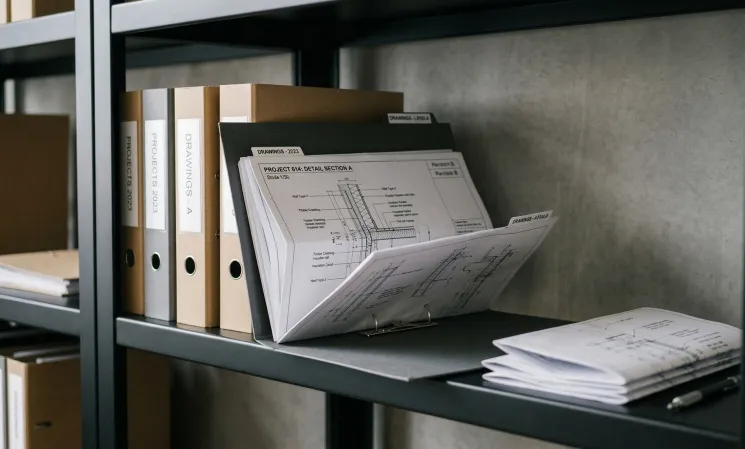
- labels on folder spines: object, section, volume number;
- electronic register (Excel or CRM) with fields: document name, folder number, storage location, archiving date.
When scanning folded sheets, it is recommended to use a flatbed scanner rather than an automatic document feeder — this prevents damage to the folds.
Workspace organization
Document route: printer → folding → collation → archive cabinets.
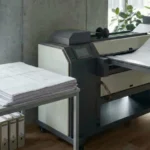
The folding machine is placed next to the printer. For models with synchronization (e.g., IA4C), sheets are fed automatically.
There should be space nearby for checking fold quality and assembling stacks. The IA4 model has an integrated work table for temporary storage of unfolded sheets.
Archive cabinets or shelving are located in the same room or in an adjacent one.
Properly organized folding simplifies storage and document retrieval. V2D FOLDER automatic folding machines fold sheets from A0 to A4 according to the selected method (with margin, without margin with excess in centre, or without margin with excess at the end) and ensure consistent results for all sheets.
If you want to optimize your documentation archiving, contact us. We will help you select the right folder model for your volumes and tasks, and also show you how to integrate it into your working environment.